
2026-02-13
- NEW: In-app scripting in Python
- NEW: Templates, thin methods, aliases to fields and many other language improvements in Jancy
- NEW: Network adapter re-enumeration in all server-side and Pcap plugins
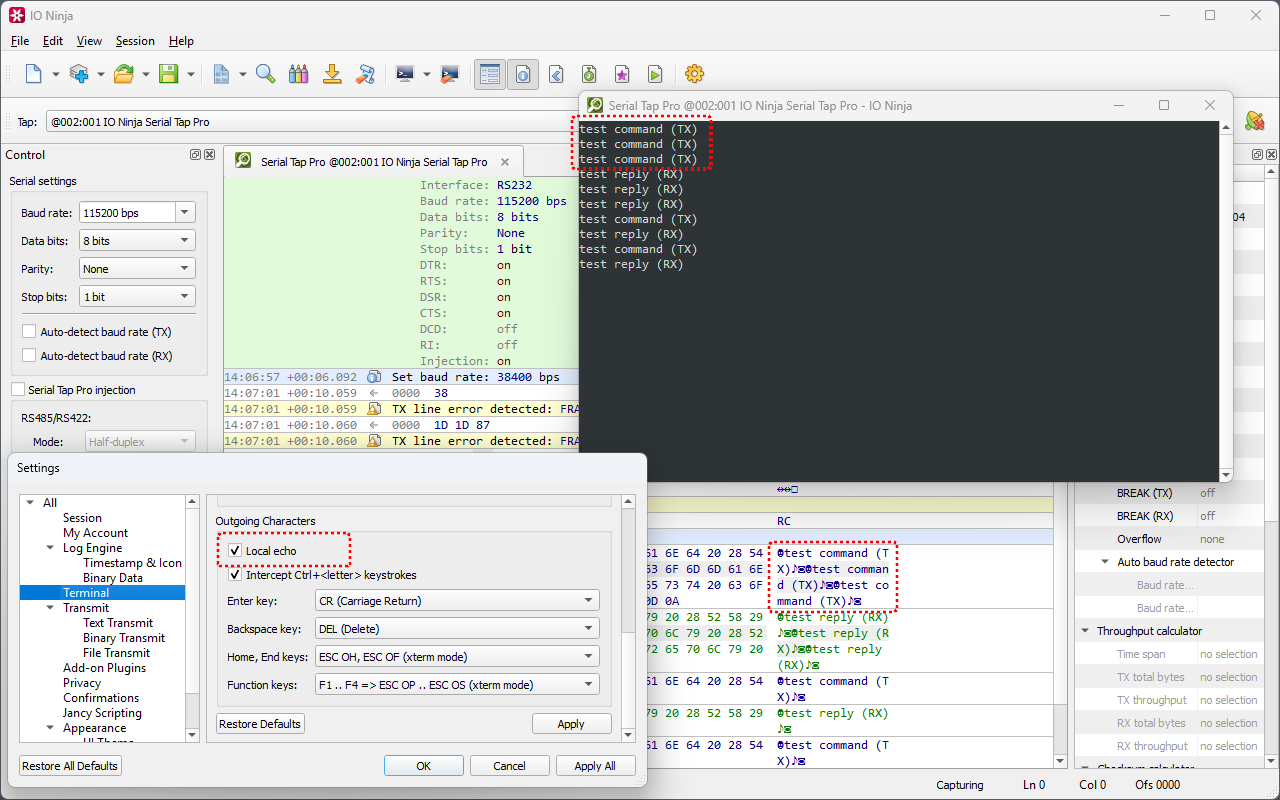
- Local echo in Terminal now shows captured TX bytes also (not only explicitly transmitted)
- Numerous critical fixes in various modules
In-App Scripting in Python
According to the TIOBE index, Python is currently the #1 programming language in the world. It has held the top position for several years in a row now and has remained in the top three since 2019. What's very important in our case, Python is well-suited for managing network packets and performing other IO-related tasks thanks to its standard libraries, such as ctypes, which allow convenient mapping of raw binary blobs into native Python objects.
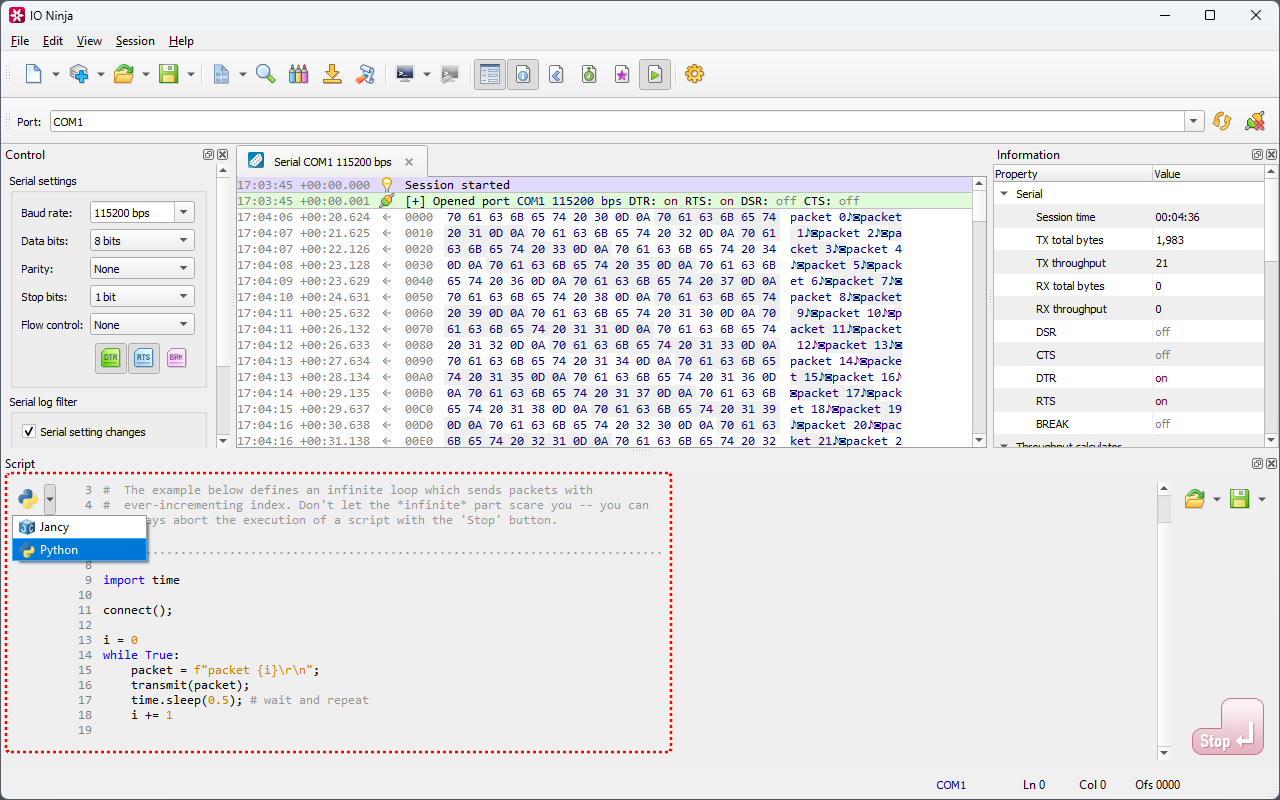
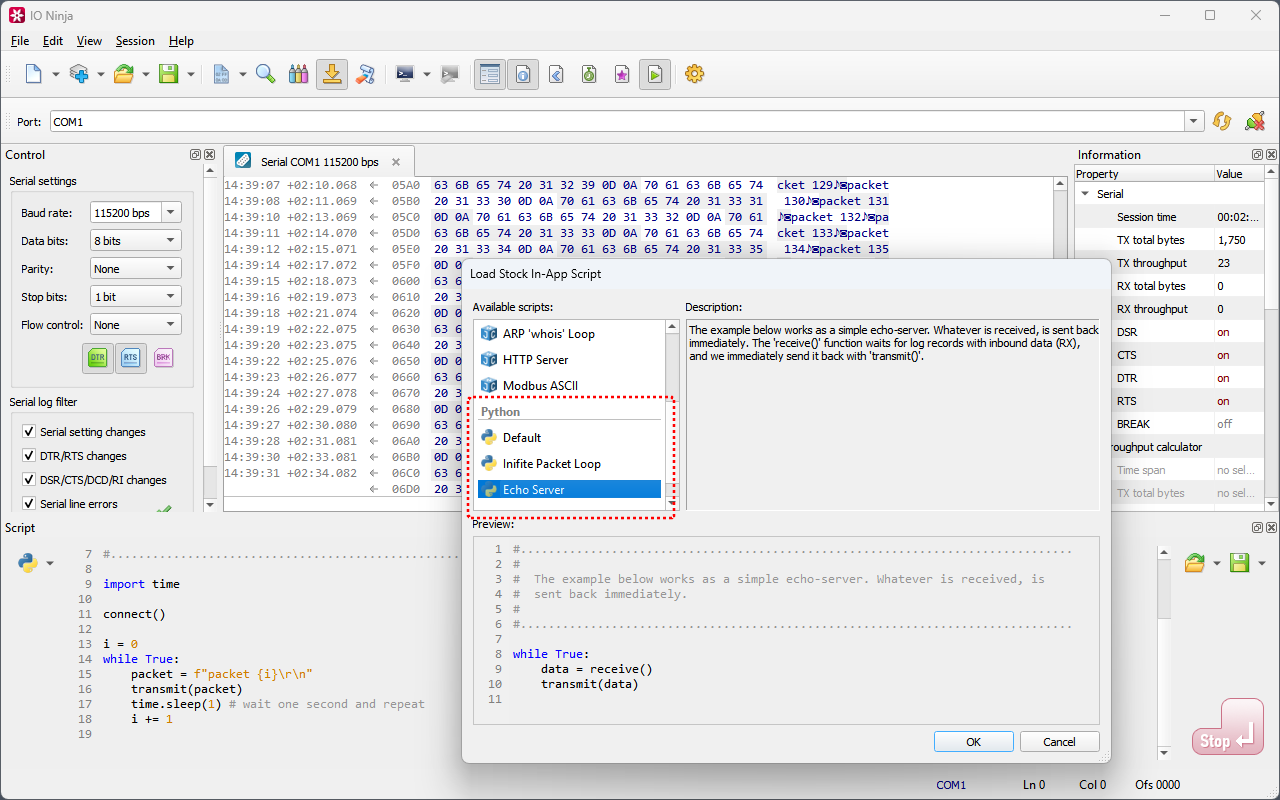
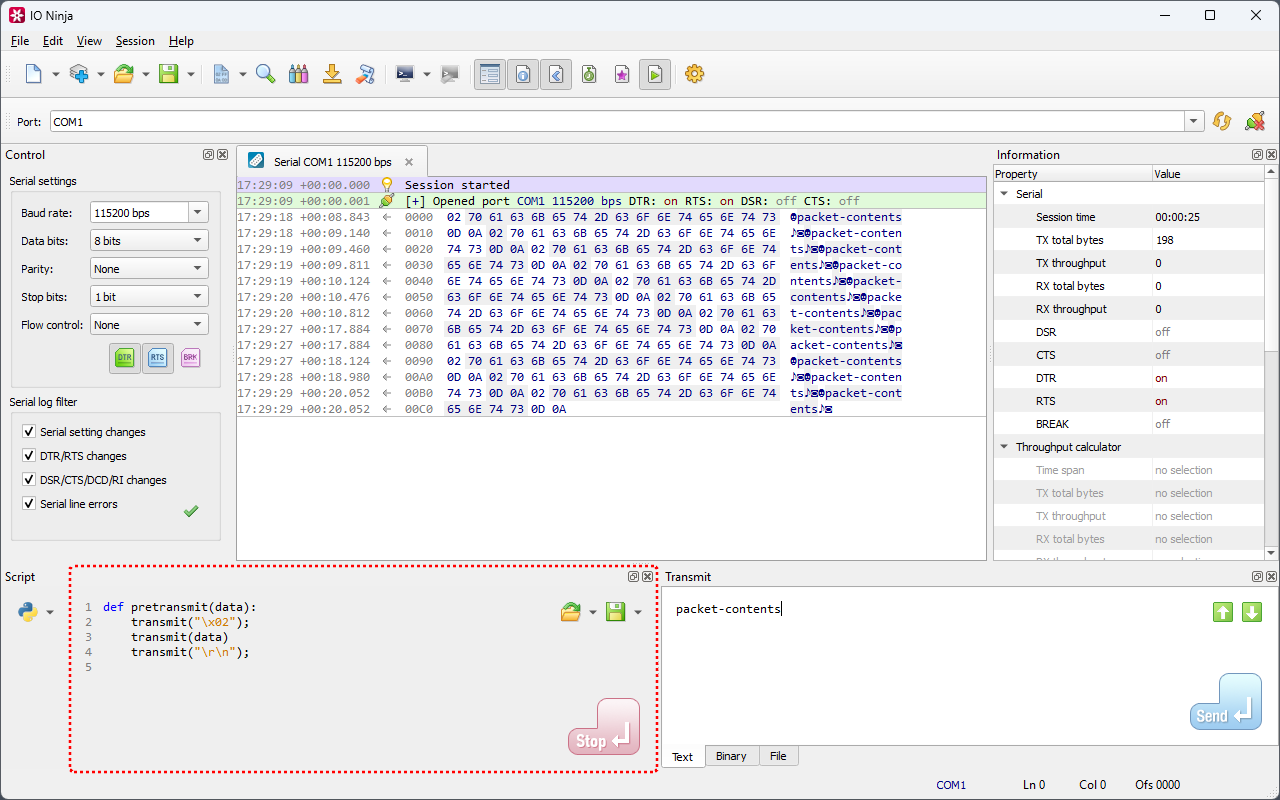
With this release, IO Ninja proudly announces native support for Python — you can now write Python scripts directly inside the Script pane of the main IO Ninja app. Automate your testing routines, react to incoming packets, create HTTP servers, and more — all while using the slick IO Ninja interface for configuring connections and inspecting event logs.
Together with the previously released bare mode for CLI-based automation, this makes IO Ninja + Python an even more powerful and well-rounded duo perfectly suited to tackle all of your communication debugging tasks.
Pythonistas, rejoyce!
Templates, Thin Methods & Other Jancy Improvements
Templates
The addition of Python does not mean we plan to abandon IO Ninja's primary scripting language, Jancy — no siree! In fact, it's quite the opposite: Jancy has just received its biggest revamp since IO Ninja 3!
First and foremost, Jancy templates are finally here! Where we had to rely on variant-based containers requiring runtime value packing/unpacking, we can now use a much more efficient template approach that would generate specialized code for the given types — just like in C++, Java, C#, and other "serious" languages.
stdt.Array<uint8_t> a;
a.setCount(10);
for (size_t i = 0; i < a.m_count; i++)
    a[i] = i;

transmit(a.m_p, a.m_count * sizeof(int));
Thin methods
Data pointers in Jancy are "fat" by default — this enables pointer safety, dynamic type casts, runtime buffer size deduction, and some other interesting features. The price here is having to keep all objects pointed to by fat pointers on the GC heap (and the associated performance penalty).
Until now, this argument to struct and union methods was always "fat", and this forced lifting of such structs to the GC heap — even when we didn't need the extra benefits of the pointer's "fat". The newly introduced thin method modifier allows methods to be declared with a thin this argument. Such structs can be kept on the stack — essentially for free, performance-wise.
struct Point {
    double m_x;
    double m_y;
    double m_z;

    bool errorcode parse(string_t source) thin;
    Point vectorProduct(Point b) thin;
}

Point p1, p2;
p1.parse(s1);
p2.parse(s2);
Point p3 = p1.vectorProduct(p2);

// p1, p2, p3 can all stay on stack!
Dual const modifiers
Const-correctness in Jancy also received a major revamp. The dual consif modifier inherits mutability from this pointer — it unfolds to const if this is const, and is mutable otherwise. Hand-in-hand with constif goes the new const? (reads "maybe const") method modifier, which means that the method can accept both const and non-const this.
A question — how many dummy accessor overloads would the following class require if written in C++ or C#? ;)
class C {
    C constif* m_next;
    C constif* findChildById(string_t id) const?;
}
Aliases to fields
Aliases to nested fields, methods, or properties allow an elegant and safe exposure of the internal implementation's specific API endpoints — without breaking the encapsulation. Again, think about all the dummy accessors that you would need for implementing the same in traditional OOP languages:
class C {
    protected stdt.List<Node> m_impl;
    alias m_count = m_impl.m_count;
    alias clear = m_impl.clear;
}
Network Adapter Re-Enumeration
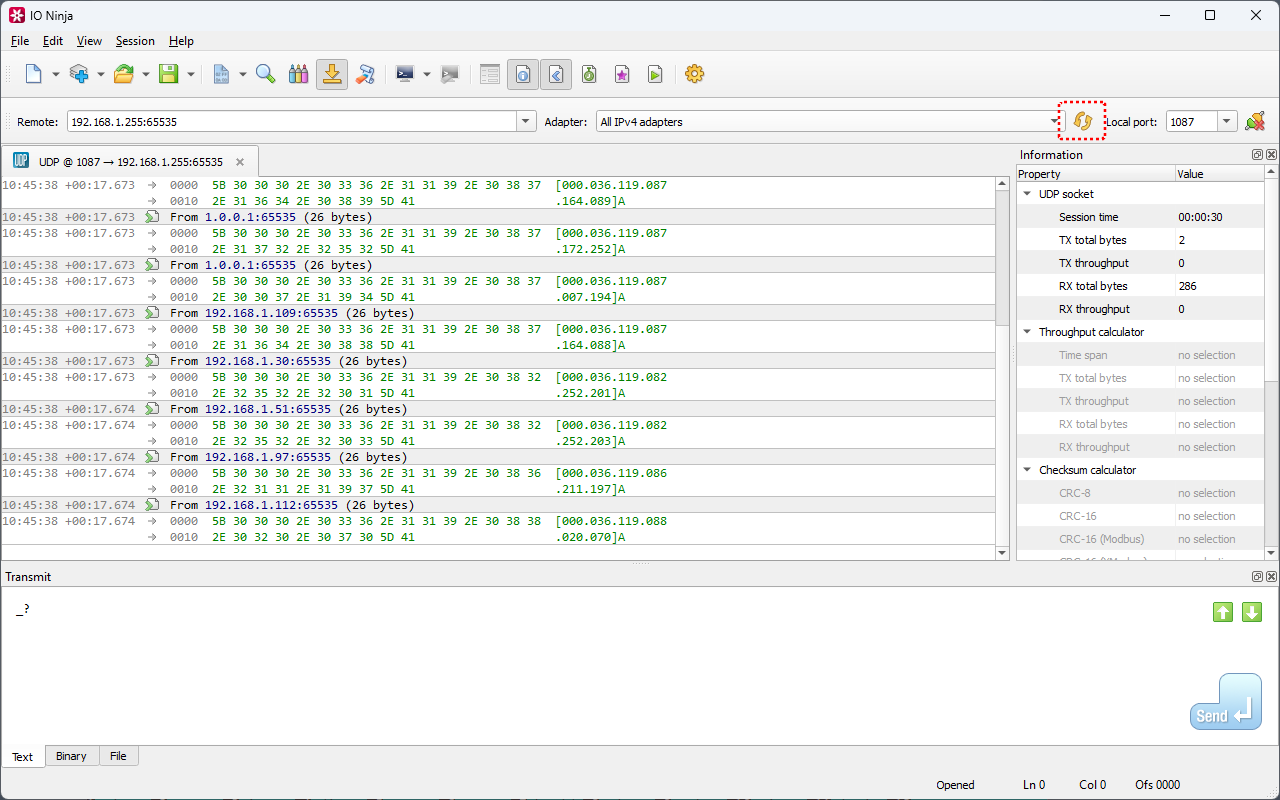
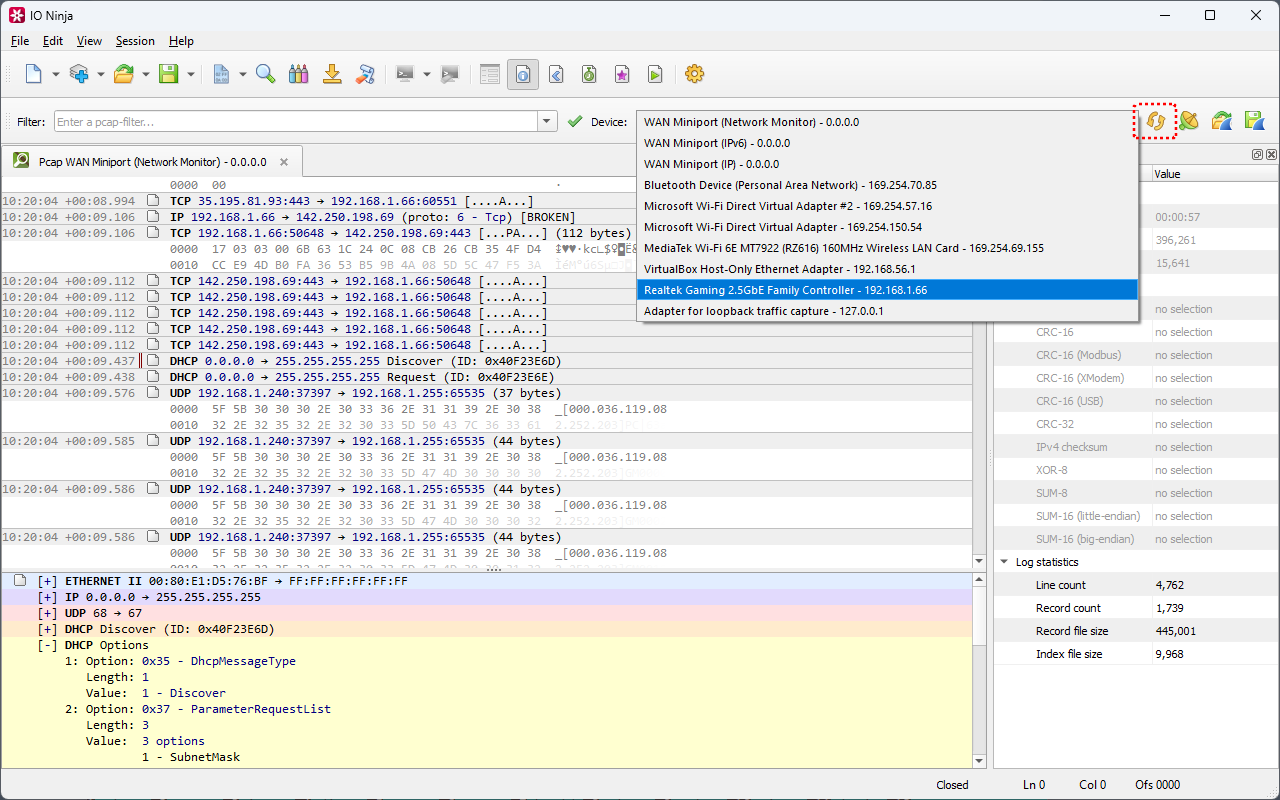
The next feature should be appreciated by field automation engineers who move across different sites with their laptops, connect to different wired networks, jump between Wi-Fi hotspots, and so on. Adapters on laptops come and go, their IPv4 and IPv6 addresses change — but until now, IO Ninja didn't provide a convenient way to scan for those network changes.
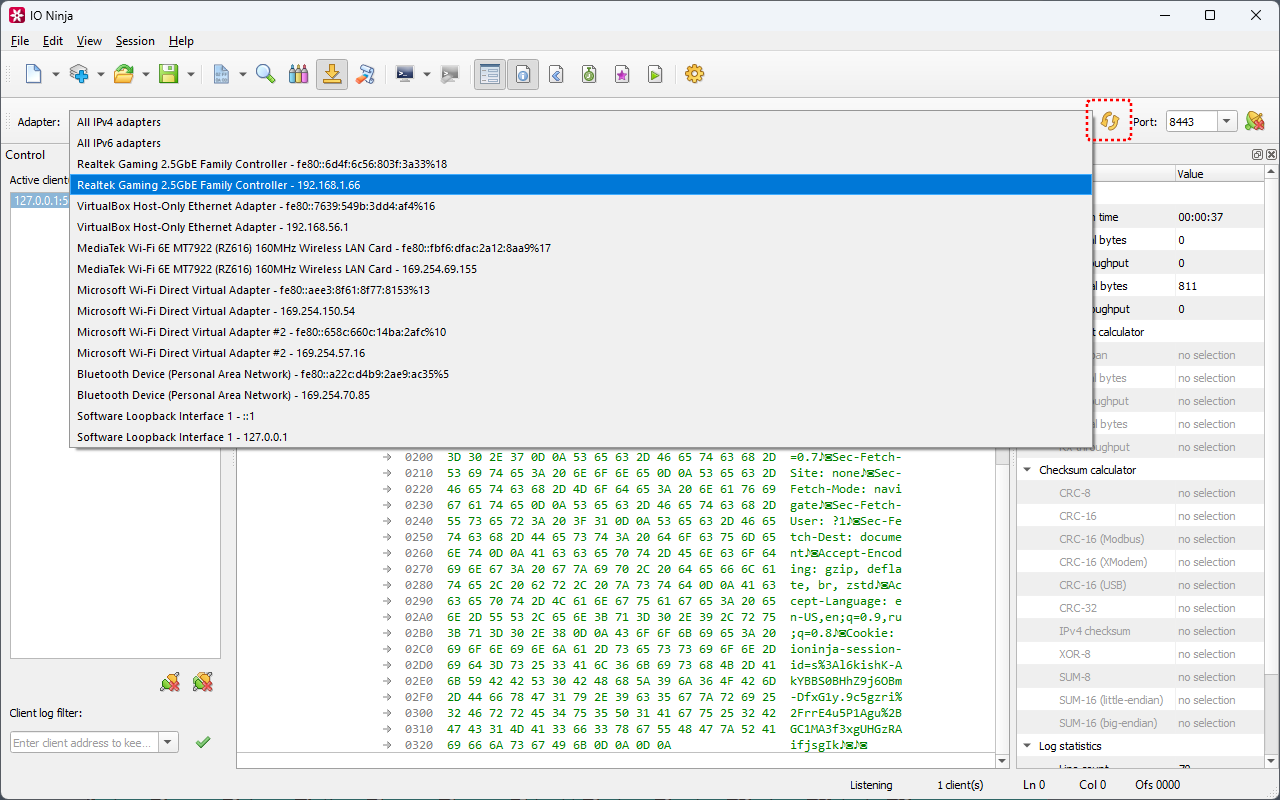
With this release, all server-side and Pcap plugins (i.e., those that bind to a specific adapter and IP address) feature a button to refresh the network adapter list to bind to. No more need to restart the already running and configured server session after connecting to a new Wi-Fi hotspot!
Terminal Local Echo For Captured Bytes
The next one is another great example of a feature our users called for. A customer who recently purchased a Serial Tap Pro wanted to dump all captured bytes to the terminal — he wasn't particularly interested in hex codes and wanted to simplify the view.
By default, the terminal in IO Ninja only shows incoming bytes (RX) — this is how traditional Linux terminals and console applications work. IO Ninja also offers the "Local echo" option that sends all outbound bytes to the terminal — this can be very helpful if a server doesn't echo your keystrokes back to you.
The problem, however, was that "Local echo" only worked for characters that are literally outbound (i.e., transmitted by IO Ninja via the "Send" button or transmit() method in a script). TX bytes captured by the Serial Tap Pro were simply not outbound in the eyes of IO Ninja — and hence, did not get dumped even with "Local echo" set to "ON"! Bummer.
Eventually, we showed the customer how to use the "Plain text" log view, and it pretty much gave the data view simplification the customer was after. But we also promised to fix the "Local echo" inconsistency — which we did with this very release. Now "Local echo" will send all TX bytes to the terminal — both transmitted and captured.
Morale of the story — we listen to and respect your requests. Found a bug, inconsistency, or an area of improvement? Don't hesitate to contact us! Let's make IO Ninja better together!
Other Critical Fixes
- Opportunistic crash on quick selection change in the Transmit hex editor
Checksum Calculator for the Transmit Pane introduced a version ago included a bug that could crash the app when quickly creating and killing the selection inside the Transmit hex editor (e.g., by double-clicking in quick succession). Fixed now.
- Crash when opening standalone
.njloglog filesA critical regression caused a crash when opening any standalone
.njlogfile (.njssnsession files were not affected). Fixed now. - Serial Tap Pro ABR was never enabled unless injection was ON
The Auto-baudrate (ABR) detector in Serial Tap Pro only worked when the injection checkbox was enabled (which is completely unrelated). Fixed now.
- Crash on specific xterm sequences to the terminal
Certain combinations of xterm command sequences could have put the terminal in an invalid state, causing a crash. Fixed now.
For a complete list of changes, see changelog.txt (also included in all installation packages).